Introduction: Why Google My Business SEO Matters in 2026
If you run a local business and you're not actively optimizing your Google Business Profile, you're invisible to the people most likely to walk through your door. Google My Business (now officially called Google Business Profile) is the single most important local visibility asset for any brick and mortar businesses or service-area operation in 2026.
So what is Google My Business SEO? It's the process of optimizing your free Google listing so that nearby local customers find you in Google Search and Google Maps when they're ready to buy. With 46% of Google queries carrying local intent and nearly 80% of people searching for local businesses weekly, the opportunity is massive. Even more compelling: 28% of local searches result in purchases.
A well-optimized business profile can generate phone calls, direction requests, and bookings without requiring a large ad budget. Businesses with complete profiles are 70% more likely to attract visits than those with incomplete or neglected listings.
This guide walks you step-by-step from setup and verification through optimization, ongoing content, reviews, analytics, and troubleshooting.
📊 The numbers that matter
46% of all Google searches have local intent, 28% of local searches lead to a purchase, and complete profiles earn 70% more visits. Your Google Business Profile isn't a "nice to have" — it's where local demand already lives.
What Is Google My Business / Google Business Profile?
Google Business Profile (formerly Google My Business) is a free tool that lets you control how your business appears across Google Search and Google Maps. Think of it as your digital storefront on Google—a free business listing tool that millions of potential customers interact with every day.
Your profile contains essential business details: your business name, physical address (or service area), phone number, website address, business category, business description, photos, videos, services, in-store products, business hours, and review scores, and it can also highlight the products and services your business offers. Google My Business profiles appear in Google Search and Maps, making them a direct pipeline to people actively searching for what you offer.
It's important to understand the distinction between your profile and your website. Your profile is Google's structured data source for local results, while your website is your owned property that the profile links to. Both matter, but for local pack visibility, the profile is the primary driver.
Profiles work for businesses with a physical storefront (like a coffee shop in Boise) and for service-area businesses (like a Crane Company Serving Austin, San Antonio, and Elgin). The same profile data surfaces in multiple places: the local pack (3-pack), the Google Maps app, the knowledge panel on desktop, and nearby results on mobile devices. A Google My Business profile helps improve local search visibility across all these surfaces.
💡 Profile vs. website
Your website is property you own. Your profile is Google's structured data source for local results. Many customers decide without ever visiting your site — so treat the profile as a conversion asset in its own right, not just a link to your homepage.
How Google Uses Your Business Profile in Search and Maps
Google pulls structured business information directly from your profile to decide when and where to show your business listing. This isn't guesswork—it's a systematic matching process.
When customer searches happen for terms like "dentist near me," "pizza in Chicago," or "emergency electrician open now," Google evaluates your profile data against the query. If your categories, services, hours, and physical location match, you have a shot at appearing.
The local pack is the group of three prominent business listings displayed under a map at the top of search results. It's separate from the standard organic search results below it, and it pulls exclusively from Google Business Profile data. The local finder results appear when users click "More places" beneath the pack, extending visibility further.
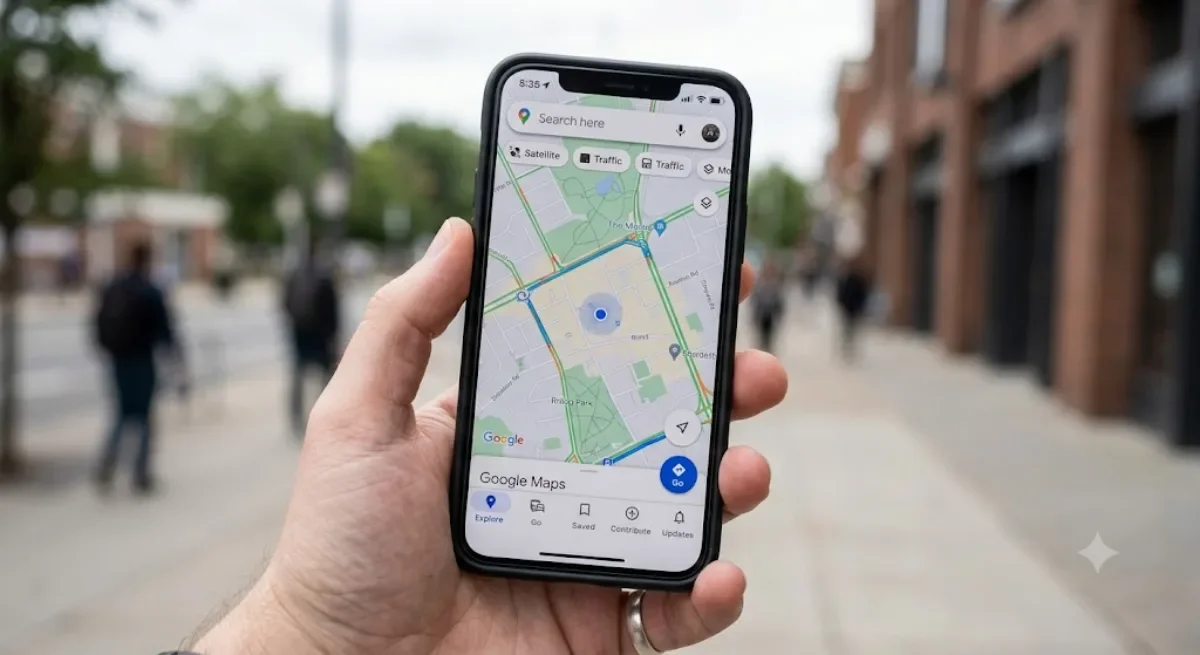
Google Maps uses your business location, hours, photos, and Google reviews to rank and display your listing in map searches. Google Business Profiles can show up in local packs for relevant searches, giving you prime real estate.
Even branded searches like "[business name] [city]" typically trigger a knowledge panel populated by your profile. Since many prospective customers make decisions without ever visiting your website, optimization here directly affects conversions.
How Local Ranking Works: Relevance, Distance, and Prominence
Local rankings are primarily based on relevance, distance, and prominence. These are the three pillars Google uses to rank local results.
Relevance measures how closely your business category, description, services, and posts match the user's search queries. If someone searches "24/7 emergency plumber" and your profile lists that exact service, you score high on relevance.
Distance is straightforward: how close your verified business location is to the searcher's position or the location they typed. A 2026 survey of local SEO professionals estimated that distance refers to roughly 55% of the local ranking weight. For service-area businesses, how you define your service area matters.
Prominence reflects how well-known and trusted your business is online. Building local authority can enhance your business's prominence. This includes your Google reviews count and rating, local backlinks, directory listings, and your website's overall SEO strength.
Here's a concrete example: Pizzeria A sits 500 meters from the searcher, has 600 reviews, a 4.8-star rating, and fresh photos. Pizzeria B is 5 kilometers away with 12 reviews and no photos. Even if both offer similar menus, Pizzeria A ranks higher because it wins on distance, prominence, and visual engagement. The ranking factors compound—doing well in two categories can offset weakness in a third.
🎯 Key takeaway
You can't change your distance from every searcher — but you fully control relevance (categories, services, description) and prominence (reviews, citations, backlinks). Win those two hard enough and you can outrank a closer competitor.
Setting Up a Google Business Profile from Scratch
Many local businesses in 2026 still haven't claimed or properly set up their profile, leaving easy visibility on the table. If you're one of them, here's how to get started.
Go to business.google.com/create and sign in with a dedicated business Google account. Before creating a new profile, search for your business on Google Maps or Search to check if a listing already exists. If it does, you'll see a "Claim this business" or "Own this business?" option. Using this avoids creating multiple listings for the same location.
During setup, you'll make key choices:
- Business name: Exactly as it appears on your storefront and legal documents.
- Primary category: The single category that best describes your main activity.
- Address or service area: Your physical location or the areas you serve.
- Phone number: Ideally a local number with the local area code.
- Website URL: Your main website.
Verification is required before your profile goes live. For single locations, this typically involves a postcard, phone call, or email verification. Multi-location brands with 10+ branches can use bulk upload and bulk verification through Google's dashboard or API.
Businesses with verified profiles are 2.7 times more likely to be considered reputable. Completing every section of the Google Business Profile strengthens your visibility from day one. Don't skip optional fields—they're optional to Google, not to your prospective customers.
✅ Before you create anything
Search Google Maps for your business name and address first. If a listing already exists, claim it instead of creating a new one. Duplicate profiles split your reviews and prominence — and are a headache to merge later.
Nailing the Basics: Business Name, Category, and Core Information
This is the foundation of your local search engine optimization. Get this wrong, and every other optimization effort builds on shaky ground.
Business name: Use your real, legal business name. Using your exact legal business name helps improve local search relevance. Google discourages keyword stuffing in business names and descriptions, so don't turn "Smith Family Dental" into "Smith Family Dental – Best Dentist in Dallas Open Late." That kind of manipulation triggers manual reviews or profile suspensions.
Primary category: Choosing the right primary category is one of the strongest ranking signals in local SEO. Select the category that most precisely describes your core business model (e.g., "Italian Restaurant," not just "Restaurant"). Google My Business allows up to 10 secondary categories, so use those to cover additional services like catering or delivery.
NAP consistency: Your business name, physical address, and phone number must match exactly across your website, Facebook, Yelp, Apple Maps, and all other directory listings. Maintaining consistent NAP data avoids confusion for Google's algorithm and strengthens your prominence signals.
Other details matter too: Include a local phone number with area code, your main website address, an appointment link if relevant, and standardized business hours covering weekends and holidays. Including accurate business hours in your profile is essential for local SEO—incorrect hours erode trust and can lead to negative reviews.
⚠️ Suspension risk
Never keyword-stuff your business name. "Smith Family Dental – Best Dentist in Dallas Open Late" can trigger a manual review or full suspension. Use your real, legal name and put the keywords in your category and description instead.
Creating a High-Impact Google Business Profile Description
Your business description helps both people search for your services and helps Google understand what you offer and what sets you apart. It's your elevator pitch in text form.
The character limit is 750, but only the first 244–250 characters are visible before users click "Read more." Front-load those characters with your most important information.
Include your main services, target locations, and differentiators. Things like "family-owned since 2010," "24/7 emergency service," or "same-day appointments" tell both Google and potential customers why you matter.
Incorporate natural local keywords throughout. If you're a locksmith in Boston, a phrase like "emergency locksmith serving Boston, Cambridge, and Somerville" works far better than repeating "locksmith" six times. Avoid prohibited content: no URLs, phone numbers, promotional claims like "lowest price guaranteed," and no ALL CAPS.
Example: "Greenfield Plumbing provides residential and commercial plumbing services across Portland, Beaverton, and Lake Oswego. Family-owned since 2012, we offer same-day emergency repairs, water heater installation, and sewer line replacement. Licensed, bonded, and insured with over 500 five-star reviews."
Clear, specific, human-sounding. That's the goal.
💡 Front-load the first 250 characters
Only ~244–250 characters show before "Read more." Lead with your core service + primary city + strongest differentiator. Everything after that is bonus context most readers won't expand.
Optimizing Photos, Videos, Products, and Services
Visual content directly influences both local ranking and conversions. Customers often choose the listing with the best, most recent photos—and uploading high-quality photos can increase engagement by 42%.
Start with a minimum photo set:
- Exterior shots: Signage and entrance (daytime and evening).
- Interior shots: The space customers will experience.
- Team photos: Real people build trust.
- Product/service close-ups: Dishes, repairs in progress, finished projects.
Add short, well-lit videos (30–60 seconds) showing your business in action. A restaurant kitchen during prep, a mechanic explaining a repair, or a tour of a newly renovated showroom all work well.
Profiles with high-quality images receive 42% more requests for directions. Businesses with fresh, authentic photos receive more engagement across the board. Recent analysis shows that adding 3+ new photos within a 30-day window correlates with measurable ranking improvements.
Use the "Products" and "Services" sections to list concrete items with prices or starting prices and short descriptions. Think "oil change – starting at $39.99" or "root canal – consultation required." These feed Google with structured data that improves relevance for specific customer searches.
Update photos at least monthly and refresh videos quarterly. Regularly adding fresh content keeps your profile active in Google's eyes.
📊 42% more directions
Profiles with high-quality images get 42% more requests for directions. Adding 3+ fresh photos every 30 days correlates with measurable ranking gains — visuals are a recurring task, not a one-time upload.

Managing Reviews Strategically for Local SEO
Reviews are the engine of local prominence. The numbers are unambiguous: 93% of consumers read online reviews before making a purchase, and 68% of consumers consult online reviews before making decisions. Your review strategy directly shapes whether new customers choose you or a competitor. Over time, aim to earn as many reviews as possible while keeping them authentic.
- Generating reviews: Create a shareable review link from your Google Business Profile and build it into every customer touchpoint—email follow-ups, SMS after service, printed receipts, and QR codes at your physical location. Prompts for reviews should encourage detailed and honest feedback, not just star ratings, and make it easy for more customers to leave feedback consistently over time.
- Velocity and diversity: A steady flow of past customers leaving reviews over weeks is far stronger than a burst of 20 reviews in one day. Google values review recency—a new review within the last 14 days gives a measurable ranking lift.
- Responding: Reply to every review. For positive reviews, thank the customer and mention specifics. For negative ones, stay calm, apologize where appropriate, and offer to resolve the issue offline. Responding to reviews shows professionalism and values customer feedback.
Positive reviews can significantly influence customer decisions and local pack rankings. Encouraging reviews can improve your business's local search ranking. The data backs this: 93% of consumers are influenced by online reviews in their purchases.
What to avoid: Fake reviews, review exchanges, and incentivized reviews violate Google's contribution policies and risk suspension. If you spot obviously fake or abusive reviews, flag them for moderation through your dashboard. Stick to real reviews from real customers—they compound over time.
🎯 Velocity beats volume
A steady drip of reviews over weeks outperforms 20 in a single day. Google weights recency — a review in the last 14 days gives a measurable lift. Build a review request into every touchpoint (email, SMS, receipt, in-store QR code) and reply to every single one.
Using Posts, Messaging, and Q&A to Engage Customers
Google posts, messaging, and the newer AI-powered Q&A features turn a static business listing into a dynamic communication channel that drives customer engagement.
Post types: In 2026, you can publish "Updates," "Offers," "Events," and product highlights. Examples include a Black Friday promotion, a seasonal menu launch, or a community event you're sponsoring. Google posts now appear in desktop knowledge panels and sometimes inside the local pack, giving them greater reach than ever.
Posting cadence: Aim for at least one new post per week with a strong photo, concise copy, and a clear call-to-action like "Call now," "Book online," or "View offer." Quality over quantity matters—Google's algorithm now favors weekly quality posts over frequent low-engagement ones.
Messaging: Google retired its built-in chat feature as of July 2026, but messaging options like text and WhatsApp remain available for eligible profiles. Set clear response-time expectations so prospective customers know when to expect a reply.
Q&A / Ask Maps: The legacy Q&A section was replaced by AI-generated answers powered by Gemini. You can no longer pre-write FAQ entries. Instead, Google synthesizes answers from your profile data, reviews, and website content. This makes it critical that your business description, services, and other details are thorough and accurate—they're now the source material for AI-driven discovery.
⚠️ 2026 changes to know
Google retired built-in chat (July 2026) and replaced pre-written Q&A with Gemini-generated answers. You can no longer control the FAQ text directly — Google now synthesizes answers from your description, services, reviews, and website. Thorough, accurate profile data is now your AI-discovery source material.
Advanced Local SEO Tactics: Website Integration and Citations
Your Google Business Profile works best when combined with strong on-site and off-site SEO. Optimizing your Google Business Profile improves local search engine optimization, but pairing it with your website amplifies results.
Website alignment: Make sure your website mirrors your profile. Embed a Google Maps widget on your contact page, display the same business information and hours, and reference your primary category in page headings. Add LocalBusiness schema markup so search engines can cross-reference your structured data.
Location pages: For businesses with multiple locations, create dedicated pages (e.g., "/locations/los-angeles") with unique content, local photos, testimonials, and an embedded map. These pages support both your website SEO and the individual profile for that branch.
Citations: Build consistent business listings across major platforms—Yelp, Bing Places, Apple Maps, Facebook—and high-quality local directories like chamber of commerce websites. Consistency in name, address, and phone across these sources reinforces your company's online presence and prominence signals.
Local backlinks: Sponsoring community events, getting mentioned in local news, and partnering with nearby businesses all generate local backlinks. As part of a broader digital marketing strategy, these links tell Google your business is a recognized part of the local community. Content marketing through local guest posts or press coverage can further strengthen authority.
Email marketing to your existing customer list can also drive people back to your profile to leave reviews, creating a virtuous cycle of engagement and visibility.
💡 The profile is one leg of a tripod
Profile + consistent citations + local backlinks reinforce each other. Add LocalBusiness schema to your site, keep NAP identical everywhere, and earn a few genuine local links (sponsorships, press, partnerships) — prominence compounds fastest when all three move together.
Using Google Analytics and Business Profile Insights Together
Your Google Business Profile provides basic performance data, but pairing it with Google Analytics gives you the full picture of how local customers move from discovery to conversion.
Profile Insights show key metrics including:
- How customers find you (direct vs. discovery searches)
- Views on Search vs. Google Maps
- Phone calls, direction requests, and website clicks
- Message interactions
Tracking insights from your Business Profile helps adjust optimization strategy over time. But to understand what happens after someone clicks through to your website, you need GA4.
UTM tagging: Add UTM parameters to every link in your profile (e.g., utm_source=google&utm_medium=organic&utm_campaign=gbp). Using UTM parameters helps track user engagement with your profile and lets you attribute traffic and conversions accurately in GA4.
Correlate activity with results: When you notice a spike in phone calls or direction requests, check whether it aligns with a recent post, a batch of new photos, or a seasonal offer. Document these correlations so you can repeat what works.
Set concrete goals: Track contact form submissions, online bookings, and e-commerce transactions tied to profile traffic. This is how you prove the revenue impact of your Google My Business SEO efforts and justify continued investment in optimization.
🔧 Tag your links
Add UTM parameters to the website link in your profile — utm_source=google&utm_medium=organic&utm_campaign=gbp. Without them, profile-driven traffic hides inside "organic" in GA4 and you can't prove the revenue your optimization work generates.
Leveraging Google Ads Alongside Your Business Profile
While the focus of this guide is organic local SEO, Google Ads can reinforce your visibility around high-value searches and locations as part of broader marketing strategies.
Link your Google Business Profile to Google Ads so your business location, hours, and star rating appear as location extensions in Search and Display campaigns. This adds credibility and drives more foot traffic from paid placements.
Effective local campaign types include:
- In-store visit promotions: Targeting people near your physical location.
- "Near me" mobile campaigns: Capturing high-intent local searches.
- Call campaigns: Driving phone calls during business hours for services like towing or emergency HVAC.
Running branded campaigns—bidding on your own business name plus city—helps you dominate the search results page when combined with a strong organic profile. This prevents competitors from siphoning your branded traffic.
Combining Ads data with Business Profile insights and Google Analytics creates a complete picture of how more customers find and choose your business. You'll see which channels drive the highest-value conversions and can allocate budget accordingly.
Solving Common Google My Business Problems and Suspensions
Even well-managed profiles face issues. Verification delays, sudden suspensions, and unauthorized edits can disrupt your visibility overnight.
Common suspension causes:
- Using a virtual office or P.O. box as your primary business address.
- Keyword-stuffed business names (e.g., adding "Best" or service keywords).
- Listing a business that doesn't meet physical storefront or service-area eligibility.
- Review manipulation or fake review schemes.
- Operating outside Google's content policies.
Troubleshooting flow: Review Google's Guidelines for representing your business, correct any violations in your business information, then submit a reinstatement request with supporting documentation like utility bills, lease agreements, or business license copies.
Unwanted edits and duplicates: Google allows users to suggest edits to any listing. Monitor the "updates suggested" section in your dashboard regularly and reject inaccurate changes. If duplicate profiles exist for the same location, request a merge or removal to avoid confusion and diluted prominence.
Expectations: Response times from Google support range from a couple of days to more than a week. Prepare your documentation in advance, be persistent, and keep records of all submissions.
Prevention is better than reinstatement. Stick to your real business name, use a verifiable physical address, and don't try to game the system.
⚠️ Keep your evidence ready
Reinstatement can take a few days to over a week. Have a utility bill, lease, or business license on hand before a suspension hits — the faster you can submit proof, the faster you're back in the local pack.
Multi-Location, Service-Area, and Home-Based Businesses
Setup and optimization differ depending on your business model. What works for a single-location bakery won't apply the same way to a mobile grooming service or a 50-location franchise.
Multi-location brands: Create a separate profile for each branch with unique business location details, local phone numbers, localized photos, and location-specific Google posts. Each location should feel like its own entity, not a carbon copy of a corporate template. Avoid multiple listings for the same address. Bulk verification is available for chains with 10+ locations.
Service-area businesses: If you go to the customer (plumbers, electricians, mobile pet groomers), hide your home address and define clear service areas by city or ZIP code. Avoid selecting enormous regions—listing an entire state dilutes relevance. Since distance refers to the proximity between the searcher and your defined area, tighter service zones often perform better for customer searches in your core markets.
Home-based businesses: If Google's policies allow it, you can use your home address for verification but choose whether to display it publicly. Many local business owner-operators prefer hiding the address while still maintaining the listing.
What to avoid: Using co-working spaces, P.O. boxes, or virtual offices as your primary address frequently triggers suspensions. Google has increased enforcement in 2024–2026. Use a real, verifiable address where you actually conduct business or gain access to customers.
🎯 Tighter service areas win
Service-area businesses should resist the urge to claim an entire state. Because distance is proximity-based, defining focused city/ZIP zones concentrates relevance where your real customers search — and broad regions actually dilute your ranking in your core market.
Ongoing Optimization Checklist and Quarterly Maintenance
Setting up your profile is the starting point. To achieve maximum visibility, you need a repeatable ongoing optimization strategy that keeps your listing competitive.
Monthly Checklist
- Verify all business information is accurate (name, address, phone, hours).
- Confirm hours before holidays and special events—regularly updated hours improve customer trust and engagement.
- Add 2–3 new photos.
- Publish at least one high-quality post.
- Respond to every new review within 48 hours.
- Check messaging channels if enabled.
Quarterly Tasks
- Audit your primary category and secondary categories against competitors on Google Maps.
- Refresh your business description if services or offerings changed.
- Review and remove outdated photos or videos.
- Check for new attributes (e.g., "Women-Led," verified credentials).
Year-Over-Year Tracking
Monitor these key metrics annually: profile views, Google Maps direction requests, phone calls, website visits from the profile, and booking/message interactions. Complete profiles attract 70% more visits from local searches, so maintaining completeness isn't optional.
Document every change you make—when you added categories, updated services, or changed hours. This log lets you correlate updates with performance trends and refine your approach. People search for local businesses constantly; your job is to make sure they find yours.
🔧 Keep a change log
Every time you add a category, update services, or change hours, note the date. When rankings or calls move, that log lets you connect cause to effect — and repeat exactly what worked instead of guessing.
Frequently Asked Questions
What's the difference between Google My Business and Google Business Profile?
They're the same tool. Google renamed "Google My Business" to "Google Business Profile" — it's the free listing that controls how your business appears in Google Search and Google Maps. Any older content referring to "Google My Business SEO" and newer content referring to "Google Business Profile SEO" mean the same thing.
Is Google Business Profile free to use?
Yes. Creating, verifying, and optimizing your profile costs nothing. It's one of the highest-ROI local visibility assets available because it can generate calls, direction requests, and bookings without any ad spend. Google Ads is a separate, optional paid layer you can add later.
How do I rank higher in the Google local pack?
Google ranks local results on three factors: relevance, distance, and prominence. To improve, choose an accurate primary category, complete every field on your profile, keep your name, address, and phone (NAP) consistent everywhere online, earn a steady flow of genuine reviews, add fresh photos regularly, and build local citations and backlinks.
How many Google reviews do I need to rank well?
There's no fixed number. Review velocity and recency matter more than a total count — a steady stream of authentic reviews, including a few within the last two weeks, outperforms a one-time burst of 20. Aim to earn reviews consistently over time and reply to every one, positive or negative.
How long does Google Business Profile verification take?
For a single location, verification by postcard, phone, or email typically completes within a few days to about two weeks. Multi-location brands with 10 or more branches can use bulk upload and bulk verification through Google's dashboard or API.
Can a business without a storefront use Google Business Profile?
Yes. Service-area businesses — plumbers, electricians, mobile groomers — can hide their address and define service areas by city or ZIP code. Keep those zones focused rather than claiming an entire state, and avoid using P.O. boxes, co-working spaces, or virtual offices as your primary address, since those frequently trigger suspensions.
How often should I post and update photos?
Aim for at least one high-quality Google post per week and 2–3 new photos each month. Regular fresh content signals an active profile to Google, correlates with measurable engagement and ranking improvements, and keeps your listing more compelling than competitors with stale photos.
Conclusion: Turning Your Business Profile into a Local Customer Engine
Optimizing your Google Business Profile helps customers find you on Google Search and Google Maps at the exact moment they're ready to call, visit, or buy. With nearly 80% of people searching for local businesses weekly, your profile isn't just a listing—it's a revenue channel.
The key pillars are straightforward: accurate business information, smart primary category and description choices, high-quality photos, a steady stream of positive reviews, and ongoing customer engagement through posts and up-to-date content. None of these are complicated. All of them compound over time.
Google My Business SEO is not a one-time task. It's an ongoing process that gets stronger when combined with website SEO, Google Ads, and analytics tracking. The local businesses that win in local search results are the ones that treat their profile as a living asset.
Start today: audit your existing business listing, fix inconsistencies in your business name and address, and plan your next 90 days of profile updates. The local finder is where your next wave of new customers is already looking.
Want your profile working while you run the business?
Clear Lead Digital builds and maintains local SEO systems that turn your Google Business Profile into a steady stream of calls, directions, and bookings. Get a free local visibility audit →
Related Blog: Property Management Virtual Assistants: 2026 Guide