⏱ 7 Minute Read
Last Updated: September 20, 2026
Property managers are being told to automate everything. The pitch is everywhere, and most of it comes from the companies that sell the software.
Here is what the data actually shows. In Buildium and NARPM's 2026 Property Management Industry Report, the share of property management companies using AI in their business tripled in a single year, from 20% to 58%. In that same report, 75% of companies planned to grow their portfolio, but only 55% grew over the prior year.
So tools are not the gap. Adoption is already high. The gap sits between the work a team wants to take on and the hours it actually has. That is what good property management workflow automation is for, and it is why the order you automate in matters more than the tool you pick.
I have been in property management since 2012, and I serve on the NARPM National Board of Directors. In that time I have watched plenty of companies buy automation and get almost nothing back, because they pointed it at the wrong task. This guide covers what to automate first, what to leave alone, and how to tell the difference.
What property management workflow automation actually means
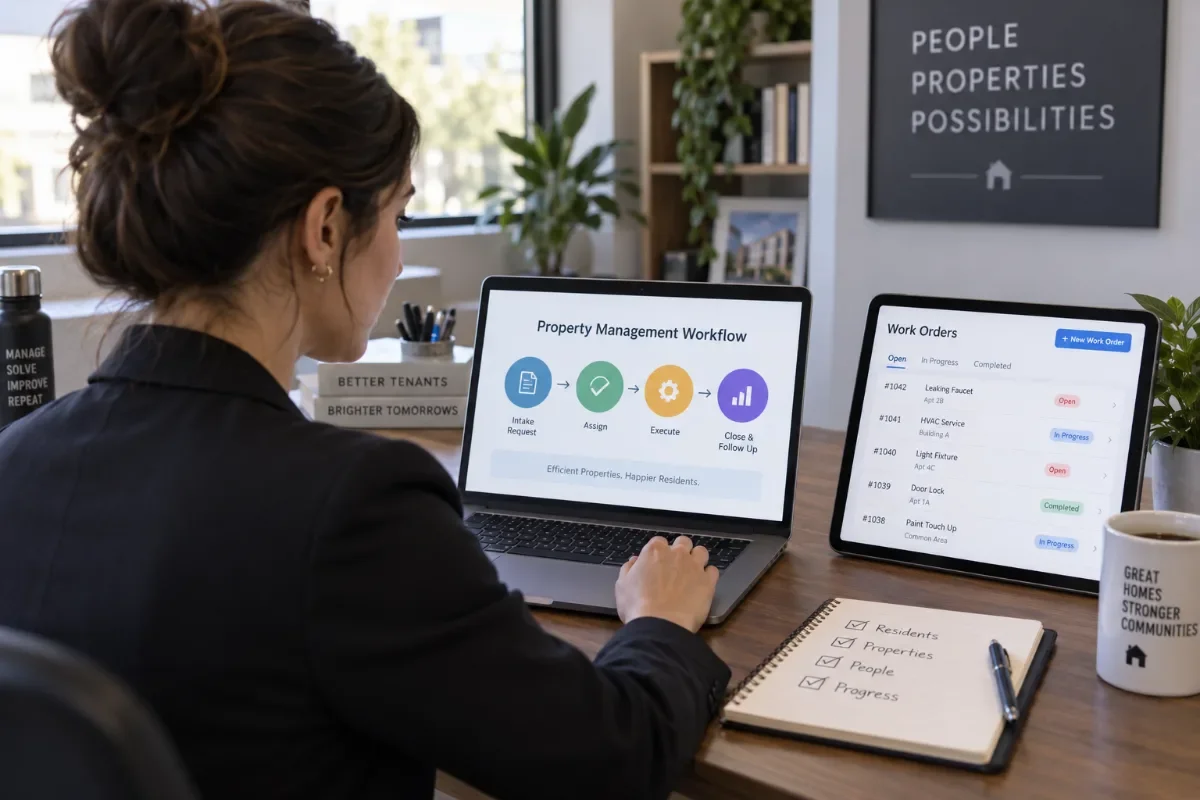
Property management workflow automation uses software rules to run the repeatable steps in your operation without a person touching each one. A maintenance request comes in, gets categorized, gets routed to the right vendor, and triggers an update to the resident, all without someone copying details between screens.
That is different from property management automation as a marketing phrase. The software version of the promise is that the platform runs your business. The operator version is narrower and more useful: you take one repeatable process, write down its rules, and hand the routine steps to the system so your people can spend their hours on work that needs a human.
Automation does not create capacity on its own. It moves hours from routine work to judgment work. If you do not decide what those reclaimed hours are for, they get absorbed and nothing changes.
Why automation stalls in most property management companies
Three failures show up again and again. All three are process problems, not software problems.
You automated a broken process
If your maintenance intake is unclear, automating it means the confusion now happens faster and at a larger scale. Software follows the rules you give it. If the rules are vague, the output is vague, and now nobody can see where it went wrong because a person is no longer in the loop.
Fix the process on paper first. If you cannot draw the workflow on one page, it is not ready to automate.
You bought tools instead of building a system
Tool sprawl is quiet and expensive. A scheduling app here, a texting tool there, a form builder, a separate reporting dashboard. Each one solves a small problem and adds a new place where information lives. Before long your team spends its reclaimed time moving data between the tools that were supposed to save time.
Most companies already own more automation than they use. Before you buy anything, list every automation feature inside the platform you already pay for. Our Buildium review walks through how much of this sits unused in a typical account.
Nobody owns the workflow
Every automated workflow needs a named owner who checks that it still runs correctly. Rules break quietly. A vendor changes an email address, a template breaks, a trigger stops firing, and nobody notices for six weeks because the whole point was that nobody had to watch it.
An automation with no owner is not saving you time. It is holding risk you cannot see. Put a name and a monthly review date on every workflow you turn on.
Audit your workflows before you automate anything
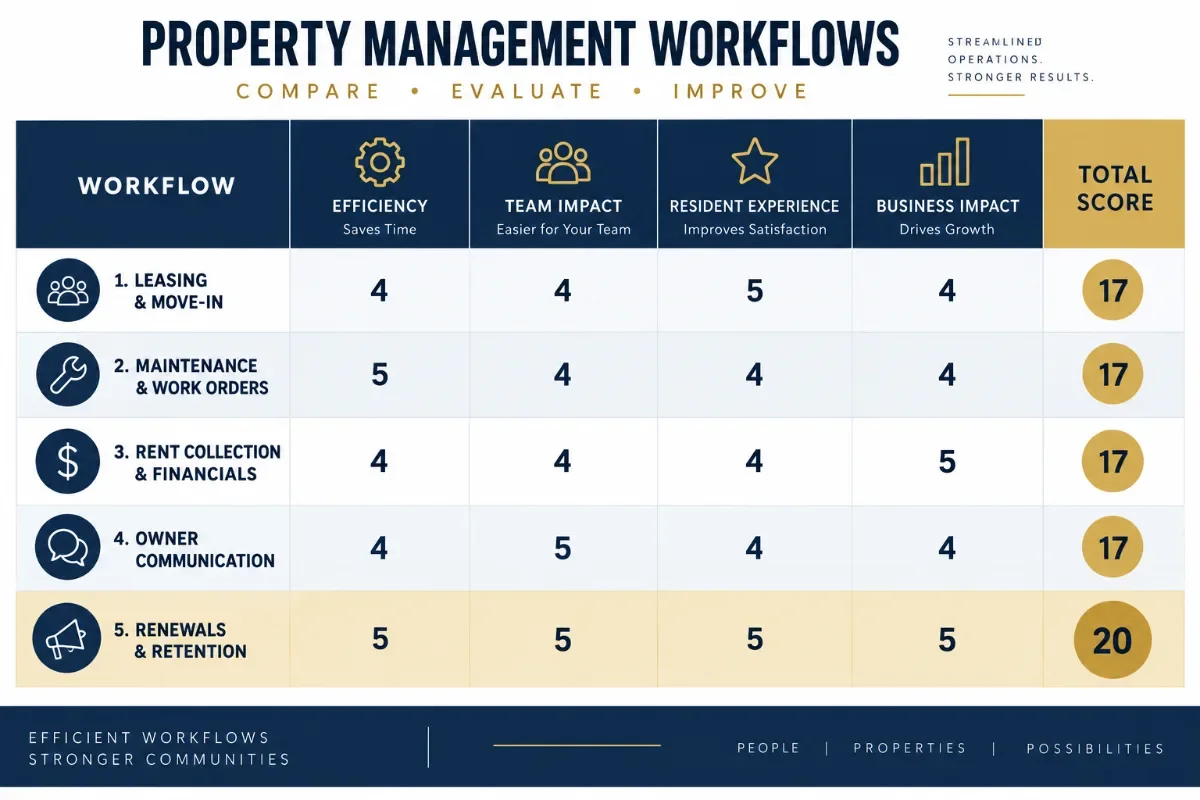
Run every candidate process through four questions. Score each one from one to five.
1. How often does it happen? Daily beats monthly. A task you do 200 times a month is worth systemizing. A task you do twice a year is worth writing down, not automating.
2. How clear are the rules? Can you write the whole process as if-then statements? If a step depends on "it depends," that step is not ready.
3. How many exceptions are there? A process with a clean path and two exceptions automates well. A process that is 60% exceptions is a process you have not defined yet.
4. What does it cost when it is late? A late owner report is an annoyance. A late emergency maintenance response is a retention problem and a liability question. Weight this one heavily.
Add the scores. Anything above 15 is a strong candidate. Anything under 10 should be documented and left with a person for now.
The five workflows worth automating first
These are ranked by what usually returns the most, and returns it fastest, for a small to midsize residential management company.
1. New lead response and showing scheduling
Speed decides who wins the owner and who wins the resident. When an inquiry sits for four hours, the prospect has already called two other companies.
Automate the acknowledgment, the qualifying questions, the self-scheduling link, and the reminder sequence. Keep the actual conversation human. This one usually pays back first because it touches revenue directly, and because most teams still handle it by hand.
If your lead volume is thin, automation will not fix that. That is a demand problem, and it is worth reading our take on how to grow a property management business before you optimize a funnel with nothing in it.
2. Maintenance intake and work order routing
Maintenance is one of the most common reasons owners hire a professional manager, and a common reason residents get frustrated. In the Buildium and NARPM report, 31% of renters who were unsure about renewing said they would stay if their manager were more responsive to maintenance requests.
Automate intake forms, categorization, vendor assignment by trade and property, status updates to the resident and the owner, and the follow-up survey. Route emergencies to a person immediately. An emergency path should not depend on a rule alone.
3. Rent collection and delinquency follow-up
Reminders before the due date, receipts after payment, and a defined follow-up sequence when a payment is late. This works well because the rules are genuinely clear: a date, an amount, and a sequence.
Two cautions. Keep the tone of late notices professional and consistent, and keep every notice aligned with your lease and with your state and local law. Have your attorney review the sequence before it goes live. Automation makes your notices consistent, which helps when the wording is right and hurts when it is not.
4. Owner reporting and communication
Owners judge you on communication more than on almost anything else. The 2026 report found that 74% of rental owners said the customer service experience was their primary consideration when choosing a property management company.
Automate the monthly statement delivery, the maintenance spend summary, the renewal heads-up, and the vacancy update. Then use the hours you save to make real calls to your owners. The automation handles the paperwork so the relationship gets your attention.
5. Move-in, move-out, and renewal sequences
These are date-driven, which makes them the easiest to trigger and the easiest to forget. Renewal outreach at 90, 60, and 30 days. Move-out instructions, inspection scheduling, deposit timelines, and the documentation checklist.
Deposit handling carries strict deadlines that vary by state. Automate the reminder and the checklist. Keep the accounting decision with a person.
Pick the single workflow that scored highest in your audit and run it alone for 30 days. One workflow that actually works beats five half-built ones every time.
What to leave alone
Some work belongs with a trained person. This is not a technology limit. It is a judgment and compliance question.
Screening decisions. You can automate the application intake, the report ordering, and the status updates. The criteria should be written down and applied the same way to every applicant, and a trained person should review the file. Screening sits under fair housing law, so build your criteria and your process with your attorney.
Anything that touches fair housing. Listing language, responses to accommodation requests, and how you describe a property or an area all carry legal weight. Templates are fine. Automated judgment is not.
Pricing and fee conversations. Rent recommendations and property management fees are relationship conversations. A tool can produce the number. A person should deliver it and explain it.
Owner escalations and difficult resident conversations. When someone is upset, an automated message reads as a company that is not listening. Route these to a human right away.
Notices with legal consequence. Lease violations, non-renewals, and anything touching possession should be reviewed by a person and built with counsel.
If getting it wrong could affect who receives housing, create legal exposure, or cost you a client relationship, a person makes the call. Automation can still handle the reminders and the paperwork around that call.
A 90-day rollout you can actually finish
Days 1 to 30: map and fix. Pick your highest-scoring workflow. Draw it on one page. Record a baseline number, such as your current average first response time or work order cycle time. Fix the obvious process gaps before you touch any settings.
Days 31 to 60: build and pilot. Configure the workflow inside the platform you already own. Run it on one portfolio or one property type. Watch every exception and write down what breaks. Assign an owner and a monthly review date.
Days 61 to 90: measure and expand. Compare against your baseline. If the numbers moved, roll it out fully and start the next workflow. If they did not, find out why before you expand. Expanding a workflow that is not working only spreads the problem.
How to measure whether it worked
Pick your numbers before you turn anything on. Without a baseline you are guessing.
- First response time on new owner and resident inquiries
- Work order cycle time, from intake to completion
- Days on market for a vacant unit
- Percentage of rent collected by the fifth of the month
- Hours per week your team spends on manual data entry
- Owner retention and resident renewal rates over the following two quarters
Review these monthly for the first quarter. Automation that cannot be tied to a number is a feeling, not a result.
What you do with the hours you get back
This is the part the software marketing skips. Reclaimed hours only matter if you spend them on something that grows the business.
For most property management companies, that something is demand. You now have time to answer owner questions properly, to ask for referrals, to publish content that answers what owners are searching for, and to build the local search presence that brings leads in without paying for every one of them. That work compounds. Automated rent reminders do not.
If you want a starting point, our guide to SEO for property management covers the fundamentals, our breakdown of property management keywords shows what owners actually search for, and our property management marketing strategies piece maps the channels worth your time. When you are ready to put structure behind it, build a property management marketing plan so the reclaimed hours have somewhere to go.
ClearLead Digital was built by property managers, for property managers. If automation has freed up capacity and you want that capacity pointed at real pipeline, take a look at our property management SEO services or book a free strategy call.
The takeaway
Property management workflow automation works when you treat it as an operations project instead of a software purchase. Audit your workflows honestly. Fix the process before you automate it. Start with one. Keep judgment work with your people. Measure against a baseline, and decide in advance what the reclaimed hours are for.
Do that, and you end up in the 55% that actually grew, rather than the 75% that only planned to.
Frequently Asked Questions
What is property management workflow automation?
Property management workflow automation uses software rules to run the repeatable steps in your operation without a person touching each one. Common examples include maintenance intake, rent reminders, showing scheduling, renewal notices, and owner reports. The software handles the routine steps. Your team handles judgment calls and relationships.
Which property management workflow should you automate first?
Start with the workflow that happens most often, follows the clearest rules, and costs you the most when it is late. For most companies that is either maintenance intake or new lead response. Both run on predictable steps and both damage retention when they slip.
Do you need new software to automate property management workflows?
Usually not. Most teams already pay for automation features inside their property management platform and use only a small part of them. Map what your current system can do before you buy anything new. New software layered on an unclear process adds cost without adding capacity.
Can you automate tenant screening?
You can automate the mechanical parts, such as collecting the application, ordering reports, and sending status updates. The screening criteria themselves should be written down, applied the same way to every applicant, and reviewed by a trained person. Screening sits under fair housing law, so work with your attorney on your criteria and your process.
How long does it take to see results from property management automation?
Teams that start with one workflow and measure it usually see a clear time difference inside 30 to 60 days. Results come faster when you fix the process first and automate second, and slower when you try to launch five workflows at once.
How do you measure whether automation is working?
Pick a baseline number before you turn anything on. Useful measures include first response time on new leads, work order cycle time, days on market, the percentage of rent collected by the fifth, and hours your team spends on manual data entry each week.